
Test Procedure
- Windows 10 64-bit
Test procedure used for testing the ODBC driver installed by default with the engine:
1) Install CUBRID Engine.
2) Verify installation:
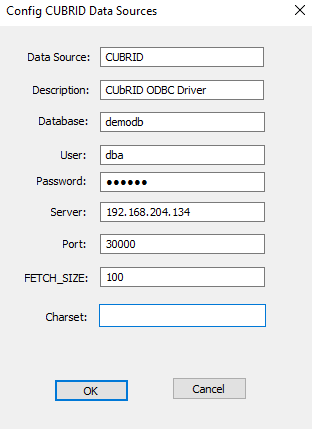
3) Run> cubrid server start demodb
4) Open x64 ODBC Administrator Tool
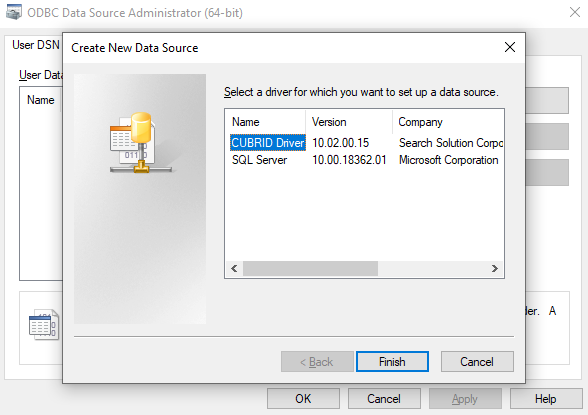
5) Create a new data source
6) Test connection using ODBC Test x64
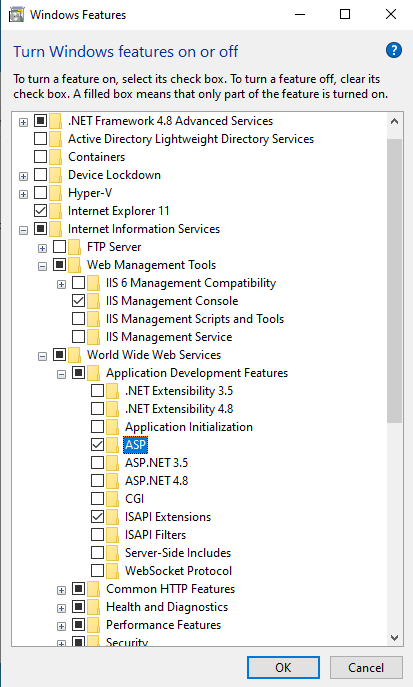
7) Activate the IIS(Internet Information Services) function.
8) Write CUBRID test ASP code..
https://www.cubrid.org/manual/en/10.2/api/odbc.html#asp-sample-program
9) Check the ASP page.
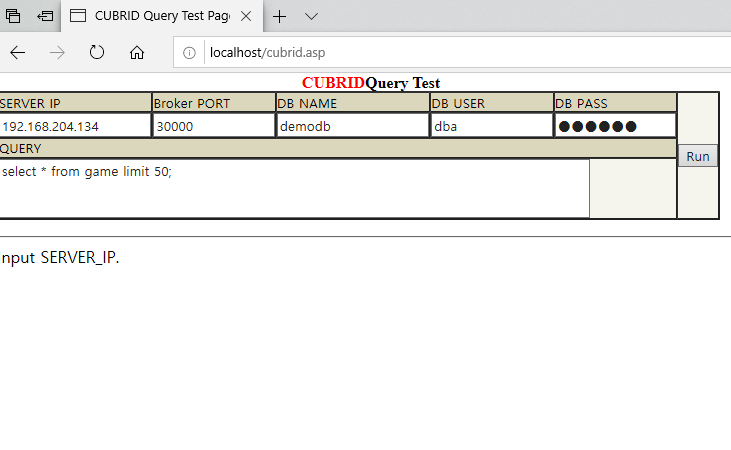

10) Result.
| CUBRID Engine | 10.2.0.8797_64bit |
| Engine Source | http://ftp.cubrid.org/CUBRID_Engine/10.2_latest/ |
| ODBC Driver | 10.2.0015-win32-x64 |
| Driver Source | http://ftp.cubrid.org/CUBRID_Drivers/ODBC_Driver/ |
| Test app | https://www.cubrid.org/manual/en/10.2/api/odbc.html#asp-sample-program |
| Test result |
|

 Common Uses of CUBRID Node.js API with Examples


